


Turn simple product shots into high-converting visuals.

Put your product in the perfect context
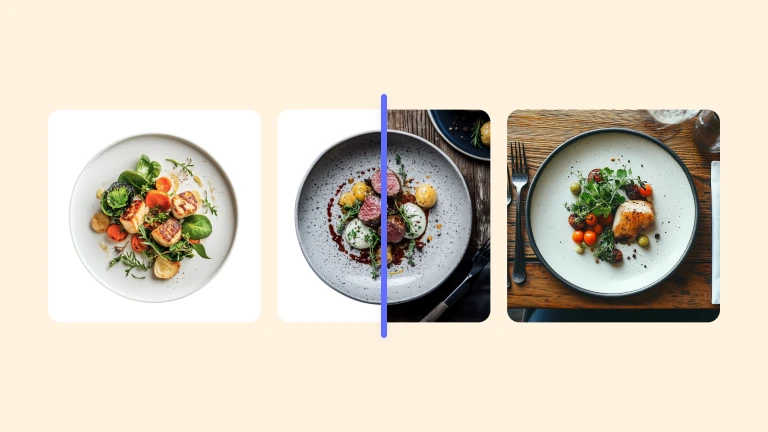
With AI-powered Product Staging, your items are placed in realistic lifestyle settings that feel authentic and professional. Shoppers can instantly imagine owning them. Helping you build trust and increase conversions without the cost of a studio shoot.

Generate new backgrounds using AI (no experience required)
Type in a prompt or use a reference image for inspiration to create realistic, high-quality AI backgrounds for your product photos—from your mobile device or desktop.

Generate professional model shots without the photoshoot
Use virtual models for try on images of your product. Generate consistent, professional imagery for your products instantly, test different looks quickly, and keep your marketing fresh without breaking the budget. It's a practical solution that saves time and money while giving you the flexibility to showcase your products exactly how you want, whenever you need it.
Proven results, real impact
Save thousands on production — no studios, freelancers, or retouching needed.
Turn better visuals into faster sales and fewer unsold products.
Inspire confidence with premium imagery that motivates customers to buy more.
Create and launch new visuals in minutes, not weeks — keeping your brand always fresh.
How to use Photoroom for AI product photography
Take your product photos
No need for an expensive camera or photo studio, all you need is your phone to create stunning product photos in seconds with Photoroom’s AI photo editing tools.
Upload and edit your images
Watch the background instantly disappear, then browse professional templates or create your preferred style using AI. Improve lighting, add shadows, and more.
Download your product photos
Once you’re pleased with the results, export images to your device and upload them to your Etsy shop, Shopify store, Instagram feed… or any other sales channel.
Work better together
Collaborate and create amazing photos more efficiently than ever with Photoroom Teams. Create, share and edit designs together in real-time, from desktop or mobile. Stay on brand with shared templates, logos, and brand assets ready to add in a tap. And simplify your workflows with team feedback and edits in one central location.
Product photography editing tools




Ready to enhance your product photos?
Register at no cost and experience a 7-day trial to explore the Photoroom app, available both on your mobile device through the app or on your desktop.
You asked, we answered
What devices can I use Photoroom’s AI photo editing app on?
Photoroom is available on iPhone, iPad, Android, and on the web. Use it on your iPhone (iOS 15 or later), iPad (iPadOS 15 or later), or Android device (Android 9.0 or later). If you prefer a larger screen, use Photoroom on the web.
Can I use AI to edit multiple images with Photoroom?
Yes. Use the batch editor to edit hundreds of backgrounds and generate AI backgrounds in bulk. Choose from a pre-existing template if you want all your images to have the same background. AI-generated images cannot be replicated exactly.
Can I create a clean white studio background for my product photos?
Yes. Photoroom has professional studio templates that you can select during the editing process. You can choose from white, shades of grey, colored studio backgrounds, or use your brand colors.
Can I use Photroom for color correction?
Yes, you can change the color of part of an object or the whole thing—adjust the brightness, warmth, contrast, and more. You can also change the color of a background with the existing palette or color wheel by eye-dropping colors from the images or entering a custom HEX, RGB, or HSL color code to match your branding.
What does Photoroom cost?
Photoroom App pricing ranges from free to €9.99 monthly to unlock all the Pro features. Consider the API plan if you need to process 1,000+ images per month.