


Streamline your image editing process with AI Image Editing API


Bring AI to your image workflow

Generate thousands of ads in seconds
Photoroom turns your product feed into high-performing, on-brand creatives. Set your layout rules once, then generate thousands of variations—each formatted for Meta, Google, display, and more. Blend generative AI with branded text layout for ad visuals that convert at scale.

Simplify listings
Photoroom improves listing visuals with less manual effort—whether you're helping sellers upgrade their images or refining them in-house. Every photo aligns with your brand and is ready to convert.

Ensure catalog consistency
Photoroom standardizes product visuals across large catalogs—applying backgrounds, shadows, centering, and styling automatically. The result: faster workflows, stronger branding, and more sales.
Instant precision across industries


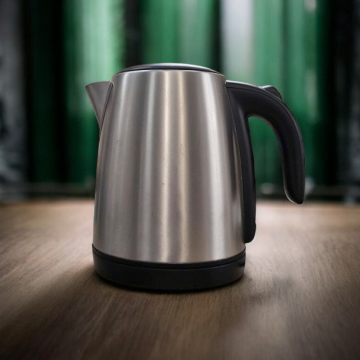


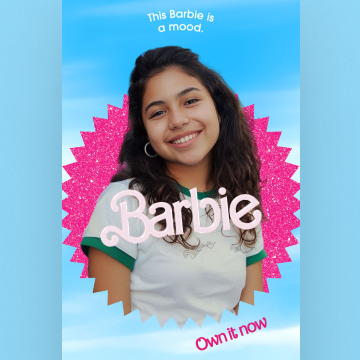


Benchmarking AI Background APIs
Explore detailed performance comparisons of top AI image generating APIs.

Want to get started?
Start your free trial, no credit card needed. You’ll get 10 free credits every month to test, build, and create.
Explore our API documentation and join the API community for quick support and tips from our engineers.
Discover our pricing plans
Choose the plan that fits your needs, from startup to enterprise, with scalable pricing options designed to grow with your business.
You asked, we answered
What’s a good B2B image editing AI for product photos?
Photoroom’s API is a top choice. It offers fast, high-quality background removal, clean product retouching, and consistent outputs at scale — perfect for B2B product image workflows.
What’s the B2B Image Editing API for?
The Image Editing API is excellent for accuracy and versatility for businesses all sizes. It offers AI-powered background removal with 30% more accuracy than competitors and provides a wide range of editing capabilities, including AI-generated backgrounds and shadows.
How do I make my first call?
First, you’ll use our interactive playground to define the edits you want to apply to your images (such as removing the background, resizing, adding padding, etc.)
Then, the playground will automatically generate the code to make the API call.
What is the pricing for the Image Editing API?
The Image Editing API is part of our "Plus plan" and each API call is priced at $0.10. Find all information about API pricing on our pricing page.
Which endpoints are available?
The Image Editing API exposes two endpoints:
GET endpoint
POST endpoint
I've included all the info about the endpoints in our documentation.
Which image formats are supported?
For the input image, the Image Editing API supports three formats: PNG, JPEG and WEBP.
For the result image, the Image Editing API supports two formats: PNG and JPEG.
By default, the result image will be in PNG format.
How long does it take to process an image?
The time it takes for the Image Editing API to process an image depends on (i) the output size of the result image, (ii) the number of AI features used in the API call and (iii) the speed of your internet connection.
What should I do if I need help with the API?
Having trouble with the API? Join our API community to get help from our engineers, or check the troubleshooting page for common issues.
For anything billing-related or with sensitive information, please DM Photoroom directly in the community. We're always happy to help.


