Get pro-quality photos with AI
You might also be interested in
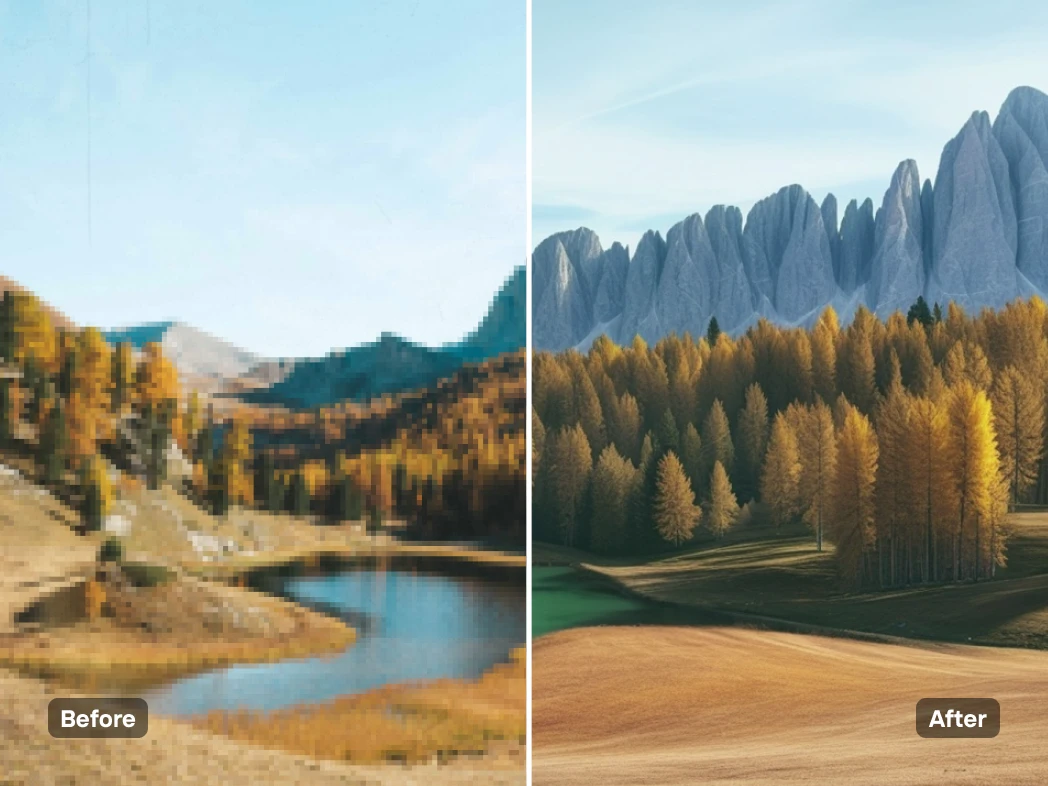
Use the AI image upscaler for better quality
Whether you're a professional enhancing your portfolio images, a small business upscaling a picture for an online shop, or a social media creator looking to improve your visuals, Photoroom’s AI image upscaler has you covered. Upscale your photos for websites, streamline workflows with AI-powered tools, or improve image quality for social media in seconds. Photoroom is your personal AI assistant for transforming low-quality images into high-quality visuals—fast, easy, and almost magical!
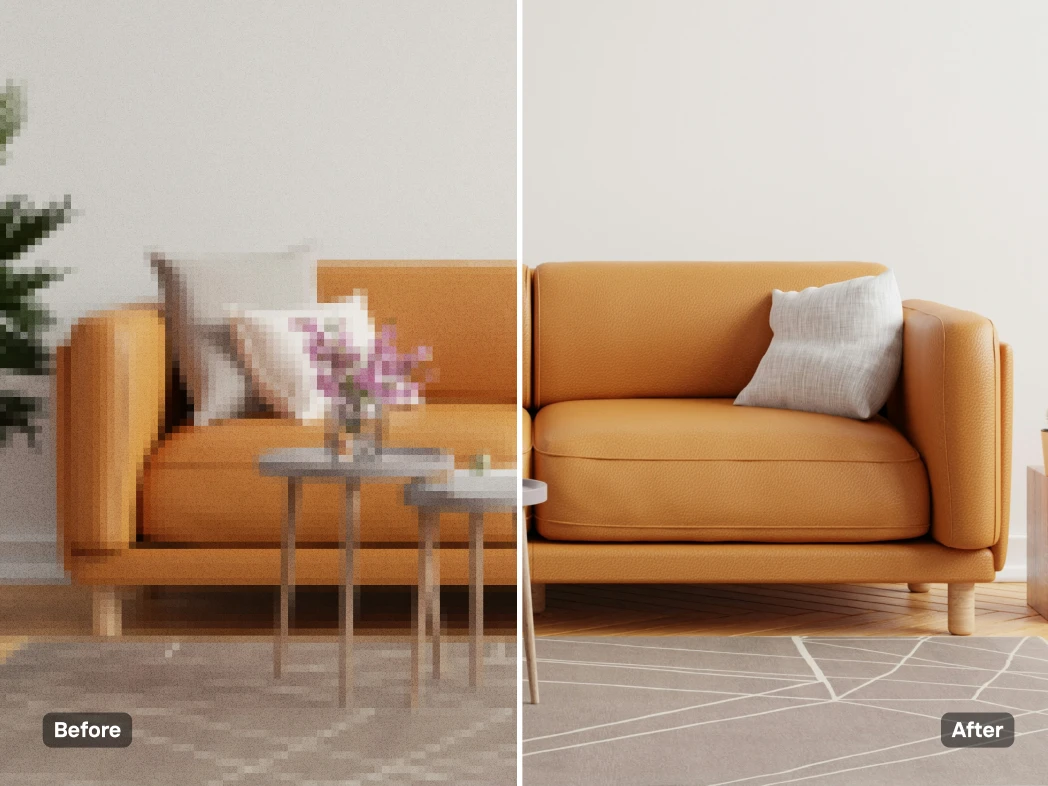
Increase image quality and boost resolution
Photoroom’s AI Upscale is your ultimate solution for transforming images into high-resolution masterpieces. Whether you need sharper photos for your website, want to restore the clarity of cherished memories, or breathe new life into blurry pictures, this tool does it all. Use the "Enhance" feature to unblur and refine, "Transform" to add intricate details, or "Reimagine" to explore creative new possibilities. With Photoroom’s AI Upscale, upgrading your visuals has never been easier or more effective!
Use our AI image upscaler for all your visuals
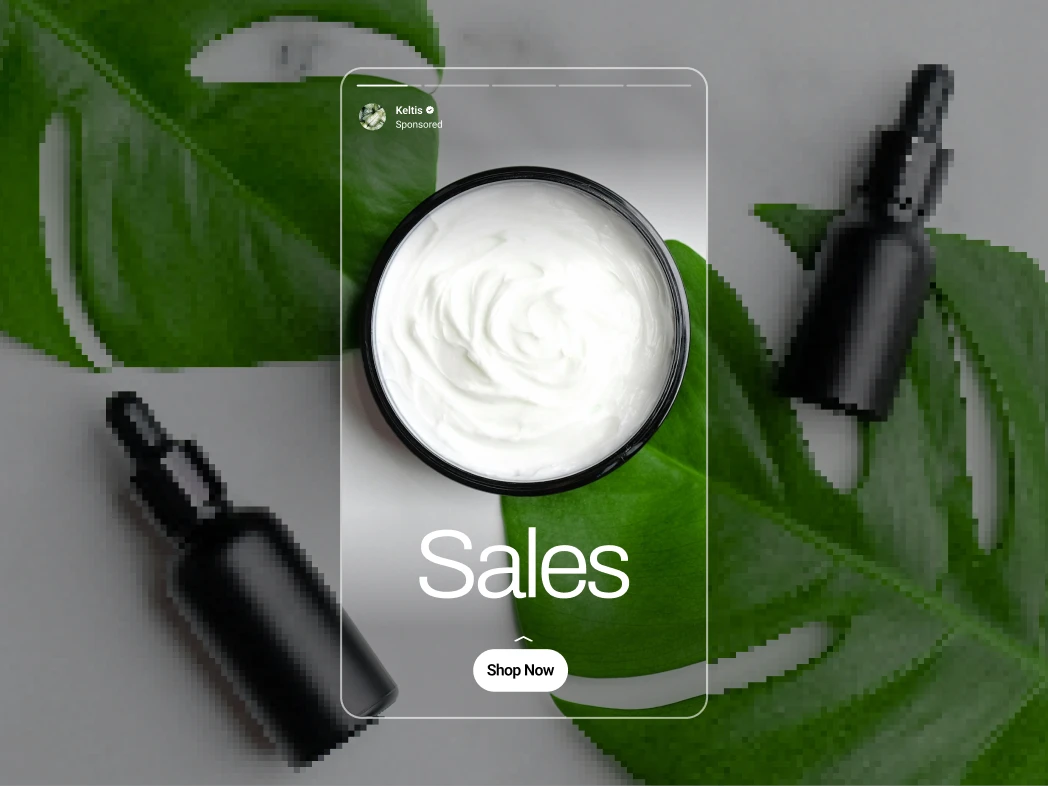
From marketing materials to personal projects, the AI Image Upscaler makes improving your visuals effortless. Create sharper photos for social media, clearer images for websites, or stunning visuals for print materials like posters and flyers. No matter the purpose, Photoroom’s AI technology ensures every image you use looks polished and professional.

Make your design stand out with AI tools
Take your designs to the next level with Photoroom’s suite of AI tools. Remove distractions instantly with the background remover, transform photos with AI-generated backgrounds, and upscale images for a crisp, high-quality finish. Whether it’s for social media, branding, or personal projects, these tools help you create standout visuals that grab attention. With Photoroom, professional-grade designs are just a few clicks away!
How to upscale your image?
Open the Photoroom App
Go to the App Store and download Photoroom to your phone. This feature currently is only available on iOS and is coming soon to Android and the web. Make sure you are a Photoroom Pro member by signing up for a free 7-day trial.
Create your image
Go to the AI tools tab and select “AI Upscale”. Do you like to enhance the overall image resolution or add more creative elements? Please select between enhance, transform, and reimagine.
Download your edited photo
Once you are happy with the result, simply download your photo, and you're finished! If you want, you can save your picture in the Photoroom App by setting up an account.
Explore more AI tools



You asked, we answered
What’s the difference between AI upscaling and normal upscaling?
AI upscaling and normal upscaling differ significantly in how they process and enhance images.
Normal upscaling: This method simply increases the size of an image by stretching its pixels or filling gaps. While it makes the image larger, it often reduces sharpness and detail, resulting in a blurry or pixelated appearance, especially for significant enlargements.
AI upscaling: This advanced process uses artificial intelligence to analyze the image and predict missing details. Instead of just enlarging the pixels, AI enhances textures, edges, and fine details, creating a clearer, more refined image. It can even add new information inspired by the original, offering a reimagined version of the image that looks more polished and professional.
In short, AI upscaling not only increases size but also improves quality, while normal upscaling focuses solely on enlarging the image, often at the expense of clarity.
What is the difference between an upscaler and an enhancer?
The primary function of a image upscaler is to increase the resolution of a low-quality image, which it does by adding pixels to make the image more prominent but without affecting quality. Therefore upscaling is ideal for enlarging images and rendering them suitable for printing or display on larger screens, whereas an enhancer does not change the size. Using photo enhancments improves the quality of a photo by adjusting contrast, sharpness, color balance, and noise reduction.
What is unique about the Photoroom AI Upscale?
The AI Upscale tool not only increases the resolution of your image but also reimagines its possibilities. For example, by selecting the 'transform' option, your original image will be transformed into a new creation inspired by the original. Give it a try now and let your creativity run free!
What additional photo editing features does Photoroom App have?
The Photoroom App provides additional image enhancements to make colors more vivid and draw attention or tone them down for a softer appearance. You can also adjust contrast for clarity, depth, or texture effects. You can also access Photoroom’s library of text boxes, graphics, and emojis to fit the occasion and add extra impact. Also you have access to tools like AI Background Remover, AI Shadows and AI Resize with a special extending feature.
What is the best image upscaler for 4k?
There is no single best image upscaler or image enlarger for 4K, as the ideal choice depends on your specific needs, budget, and workflow. Photoroom AI Image Upscaler stands out for its versatility, speed and ease of use.
Does upscaling improve image quality?
Upscaling can improve image quality in terms of increasing resolution, enhancing detail or reducing pixelation and to get rid of blurry images. However, it is more commonly used to maintain quality during other manipulations. It is essential to accept that the quality of the source image determines how much potential there is for improvement. Excess upscaling of the same image can be detrimental in the long-run.
Is Photoroom’s AI Upscale free to use?
To access AI Upscale you need to be a Pro member. You can signup for a 7-day trial to test the app and the AI Upscale tool before making a decision. Please find our pricing and subscription plans here.
Why is Ai Upscale not available on all platforms?
AI Upscale is initially available on iOS to enhance the quality of our tool before a broader release. We appreciate your patience as we work to make it available to everyone on Android and the web.